
Sprint Retro Tools and Templates
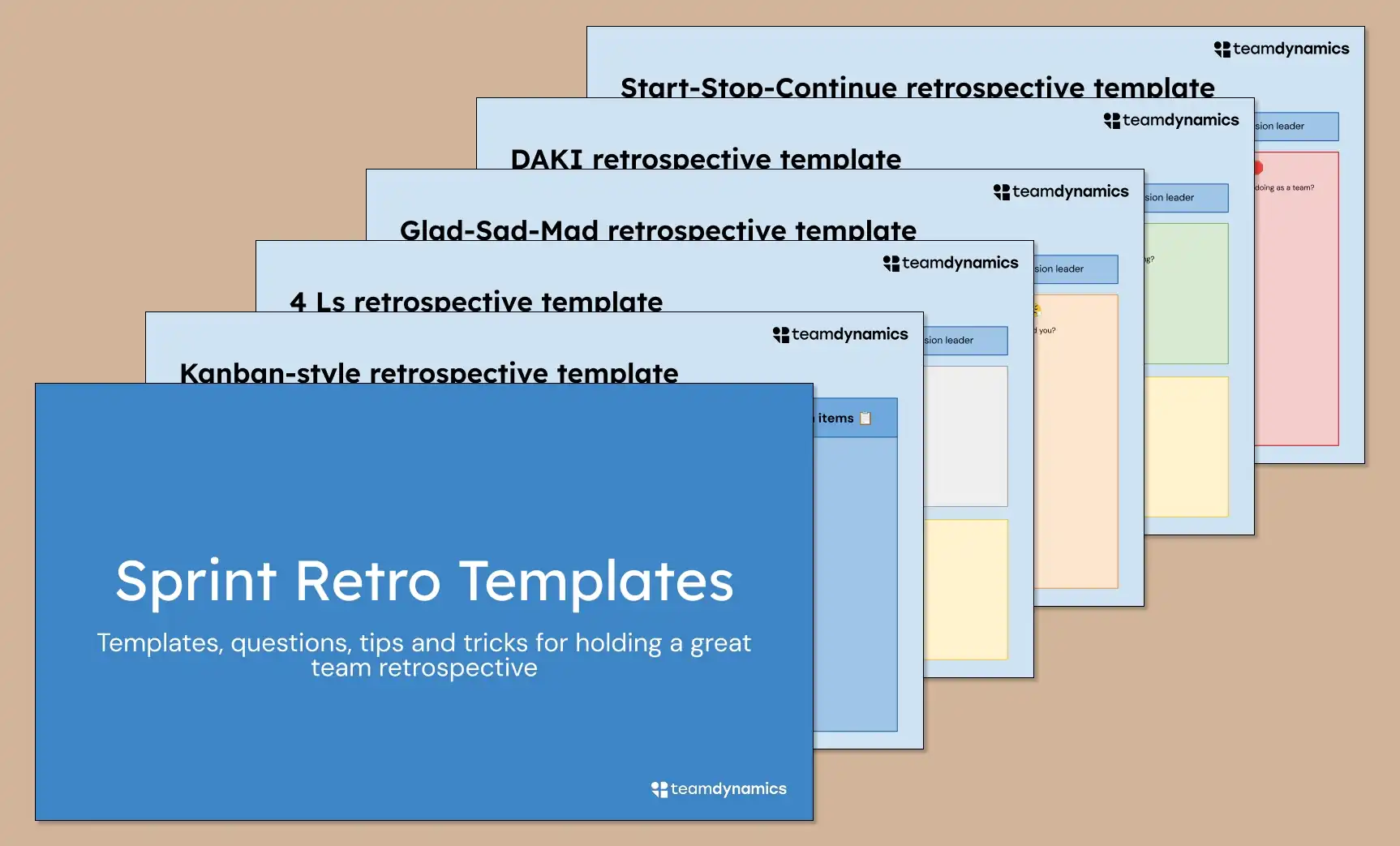
Choose from 5 free sprint retrospective templates in PowerPoint, Google Slides, and PDF. Plan your session with a format comparison, a 30-minute agenda, and a filled-in example.
Get my retrospective template
Available as PDF or PowerPoint or Google Slides.
TL;DR
Choose one format, collect specific observations, and leave with one experiment your team can review. The free download contains five blank retrospective formats; the agenda and worked example below show how to turn notes into a practical change.
Seeing the same teamwork issues in each retrospective? See a sample team report
Choose a sprint retrospective template
Choose the format that matches the conversation you need. For a first retrospective, Start-Stop-Continue is a simple starting point. Use 4 Ls when you want to separate lessons from missing support, or DAKI when you already have working habits to change.
| Format | Use it when | Opening question |
|---|---|---|
| Kanban-style | You want a broad review, action items, and recognition in one board. | What went well, and what will we do differently? |
| 4 Ls | You want to distinguish learning from missing resources or support. | What did we Love, Learn, Lack, and Long for? |
| Glad-Sad-Mad | You need to understand reactions to a difficult or eventful sprint. | What happened that made you glad, sad, or frustrated? |
| DAKI | You need to decide which working habits to change. | What should we Drop, Add, Keep, and Improve? |
| Start-Stop-Continue | You want a straightforward first retro or a short reset. | What should we start, stop, and continue doing? |
Request the free retrospective template pack above. PowerPoint and Google Slides are editable; PDF works for printing or reference. The pack contains five blank formats. Use the worked example and agenda on this page to plan your session.
A 30-minute sprint retrospective agenda
This is a suggested agenda for a focused discussion, not a required time limit. Allow more time for a complex topic or a larger group. Before the meeting, choose a facilitator, make a copy of one template, and bring the last retrospective’s action record.
| Time | Facilitator action | Useful output |
|---|---|---|
| 0–3 minutes | Review the last experiment. State the sprint or period you are discussing. | A shared scope and a decision to keep, adapt, or end the previous experiment. |
| 3–8 minutes | Ask everyone to write observations independently, one event per note. | Specific examples from more than the first person to speak. |
| 8–15 minutes | Read the notes, clarify meaning, and group related observations. | A small set of themes without assuming everyone had the same experience. |
| 15–23 minutes | Choose one theme. Ask what happened, what constrained the work, and what could change. | One practical improvement the team can try. |
| 23–28 minutes | Name an owner, a trigger, and a way to check the change. | An experiment that fits the next sprint. |
| 28–30 minutes | Record the agreement and its review date. Invite a final concern. | A visible commitment and a planned follow-up. |
For remote or hybrid teams, use one shared board and give everyone the same writing period. Read notes aloud before discussing them. Offer a written contribution or the option to pass; do not promise anonymity if the tool or the situation cannot provide it.
Your next team conversation
Understand the working habits behind recurring retro themes.
Use the free templates to collect feedback and choose an experiment. TeamDynamics Pro brings your team’s descriptions of its everyday behavior together, giving you a shared picture of communication, decisions, and follow-through to discuss at your next retrospective.
Pro includes a shared team profile, private individual insights, and a presentation for your team discussion. $39 per person · One-time purchase.
Prefer a quick first look? Try the free two-minute Rapid Result
5 Downloadable Templates for Your Sprint Retrospective
Each format below is included in the pack. Choose one board for the meeting rather than asking the team to complete all five.
1. Kanban-style sprint retrospective template
Useful for: A broad review with room for recognition.
Use the board’s What went well, What could be better, What will we do differently, Action items, and Shoutouts areas. Write an observation before proposing an action.
Example note: “The acceptance criteria arrived after implementation started.” Put that under What could be better, then discuss the missing handoff before filling in Action items.
2. 4 Ls sprint retrospective template
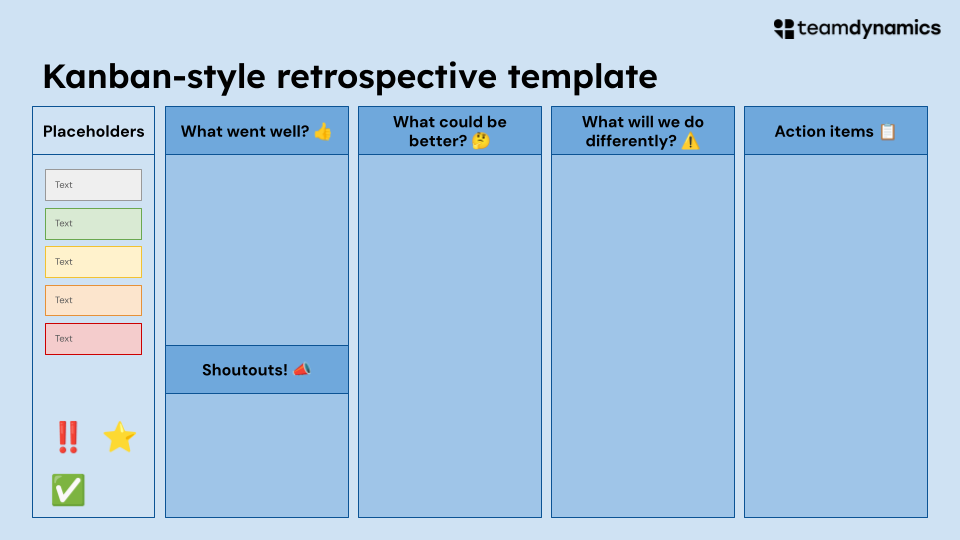
Useful for: Learning and missing support.
Add notes to Loved, Learned, Lacked, and Longed For. Distinguish a resource you lacked from an improvement you would like to try.
Example note: “We learned that a short design review catches conflicting assumptions.” A request for time to hold that review belongs in Longed For.
3. Glad-Sad-Mad retrospective template
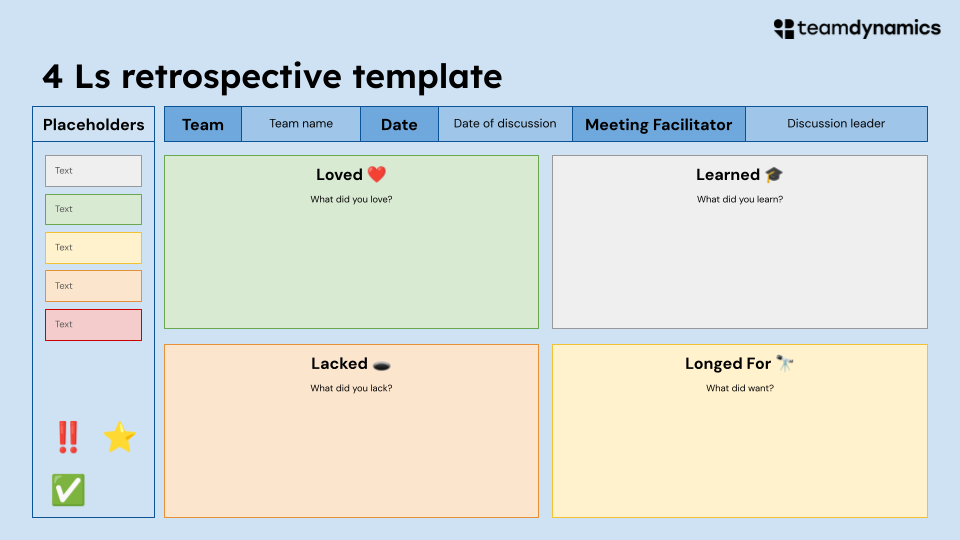
Useful for: Understanding reactions to the work.
Use Glad, Sad, and Mad to describe experiences from the sprint. Ask which event prompted each reaction and what practical change might help.
Example note: “I felt frustrated when the priority changed after the work was nearly finished.” Explore how changes are communicated rather than judging the emotion.
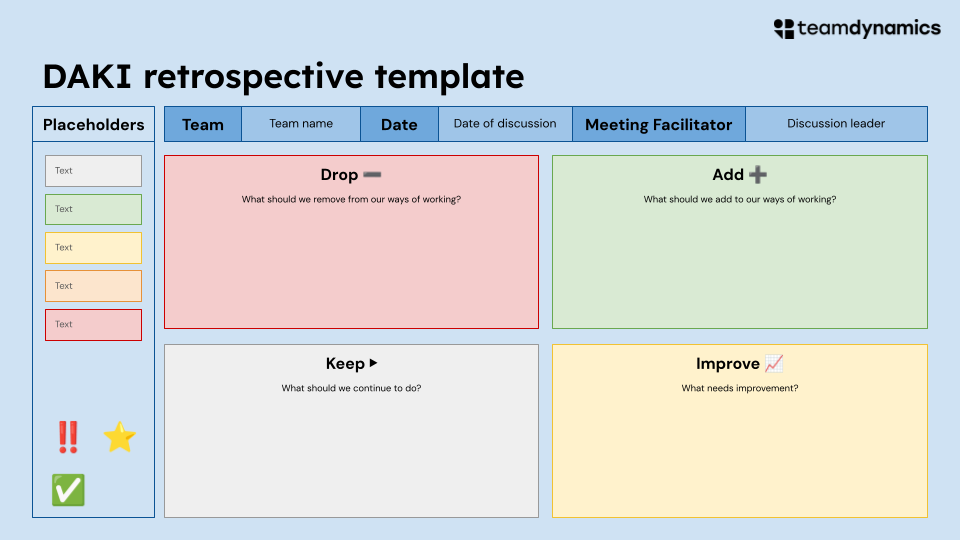
4. DAKI retrospective template
Useful for: Deciding what to change in an existing process.
Use Drop, Add, Keep, and Improve. Check that an Add proposal has room in the team’s workload, and that a Drop proposal preserves anything people still need.
Example note: Drop duplicate status updates, Add one visible blocker owner, Keep the review that catches missing context, and Improve how the handoff is recorded. Choose one change to try first.
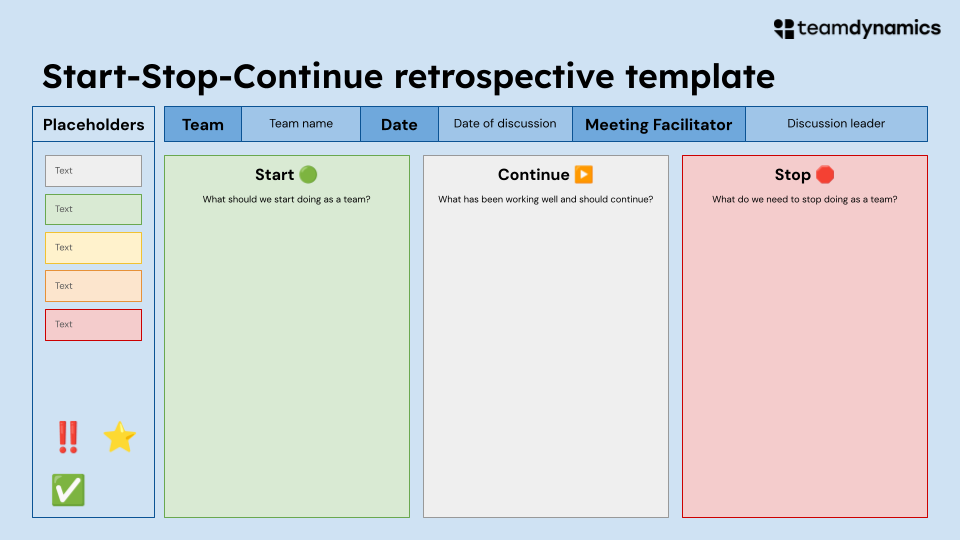
5. Start-Stop-Continue retrospective template
Useful for: A first retrospective or a focused reset.
Name a behavior to Start, one to Stop, and one to Continue. Replace broad phrases such as “communicate better” with an action someone can recognize.
Example note: Start naming the next owner in handoffs. Stop marking work ready while required files are missing. Continue posting a short release summary.
A filled-in retrospective example: an incomplete handoff
This illustrative example shows how a team could use Start-Stop-Continue. It is a practice scenario, not a customer result. Adapt the roles, timing, and checks to your work.
| Field | Example |
|---|---|
| Observation | Two handoffs arrived without acceptance criteria. The receiving teammate paused work to ask for clarification. |
| Start | Before marking a task ready, link the current brief, name the next owner, and list open questions. |
| Stop | Treating a chat message alone as a complete handoff. |
| Continue | The short end-of-week review that identifies unclear requirements. |
| Experiment | Use the three-item handoff check on the next four tasks. |
| Owner and review | The delivery lead records the check in the task template. The team reviews the four handoffs at its next retrospective. |
| What to look for | Were the three items present? What clarification was still needed? Keep, adapt, or end the check based on those examples. |
Copy this action record into your board: When [trigger], [owner] will [specific action]. We will try it on [work or period], look for [observable evidence], and review it on [date].
Common Pitfalls in Sprint Retrospectives
- Vague observations: replace “handoffs are bad” with a recent event and its effect on the work.
- The first answer sets every answer: collect independent notes before discussing them.
- Too many improvements: choose an experiment the team has capacity to try, and record the other themes for later.
- No decision at the next retro: begin by checking the previous experiment and deciding what happens next.
- A change outside the team’s control: name the decision or support you need and who will request it.
When the same themes keep returning
A new board layout may not explain a recurring disagreement about preparation, decisions, or follow-through. Bring one concrete work example to the retrospective-to-action playbook and use it to choose a different habit.
TeamDynamics Pro combines participants’ descriptions of how their team works across Communicating, Processing, Deciding, and Executing into a shared team profile. Personal preferences separately inform private individual and CoDynamics insights; they do not determine the shared team result.
Explore the sample Team Discussion Guide to see how a profile can support that conversation. Use the team norms worksheet to record the agreement you choose. The templates, an assessment, and a discussion each support the work; follow up on the actual experiment.
Put this into practice
Use a practical playbook to turn this guidance into a team conversation and a clear next step.

Frequently asked questions
Questions, answered.
Which sprint retrospective template should I start with?
Start-Stop-Continue is a straightforward first choice. Use 4 Ls to distinguish learning from missing support, or DAKI to decide which habits to Drop, Add, Keep, and Improve.
What formats are available?
The pack offers editable PowerPoint and Google Slides templates, plus PDF for printing or reference. Select your preferred format in the request form.
Does the download include the worked example?
The download contains the five blank retrospective formats shown above. The filled-in handoff example and 30-minute agenda are guidance on this page.
How long should a sprint retrospective take?
The 30-minute agenda is a suggested plan for a focused discussion. Adjust it to your team, sprint length, and topic; it is not a universal maximum or a formal Scrum timebox.
Can I use these retrospective templates remotely?
Yes. Share an editable board or slide, collect independent notes first, and discuss the same visible material together. Give remote and in-room participants the same opportunity to contribute.
What should a retrospective action item include?
Record a trigger, one owner, a specific action, the work or period you will test it on, what you will observe, and a review date.
Do I need TeamDynamics to use the free templates?
No. Use the templates and on-page guidance on their own. TeamDynamics Pro is a separate assessment and discussion option for teams that want to examine recurring working patterns.
What if the same problem comes back every sprint?
Check whether the previous action was tried, whether it addressed the cause, and whether the team can change the constraint. Use a concrete example to agree on the next experiment rather than only changing the meeting format.
Keep building
More free tools for your team.
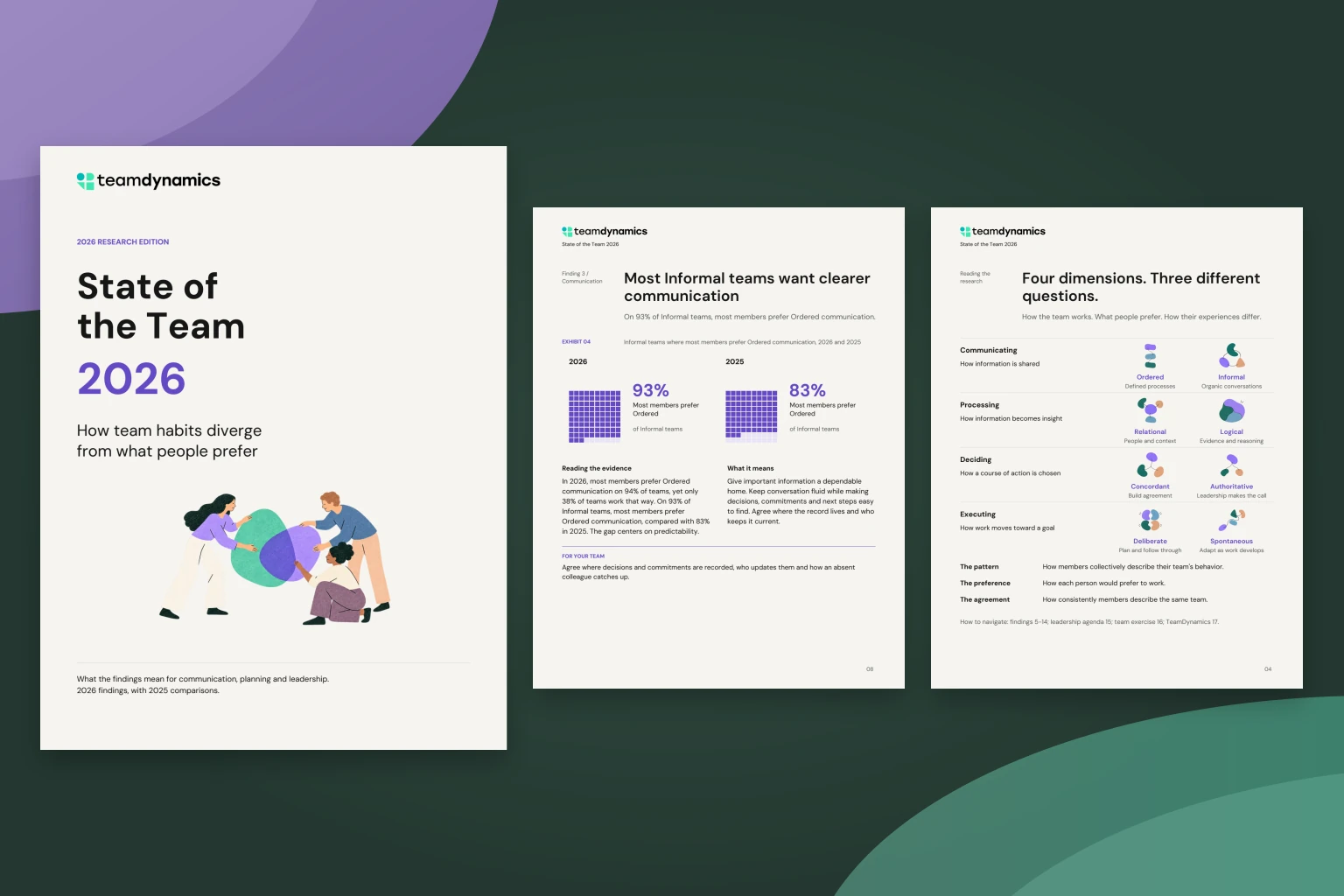
2026 State of the Team report
See where team habits diverge from what people prefer. Download 18 pages of findings, charts and practical priorities for leaders.
Open free resource
2024 State of the Team report
Explore the 2024 TeamDynamics research on working preferences, team behavior and managers’ perspectives, with charts and a practical planning exercise.
Open free resource
2025 State of the Team report
Explore the 2025 TeamDynamics research on working preferences, team behavior and managers’ perspectives, with charts and a practical planning exercise.
Open free resource